 Raymond Yima
Table of Contents
Where Most Event Teams Start Struggling
It’s 6:15 PM. Your event starts at 7. One of your volunteers just realized the guest list they printed is from two days ago, before 47 more people registered. Someone else is trying to pull up the live spreadsheet on their phone, but the venue Wi-Fi isn’t cooperating. At the door, a guest says they registered last week. Their name isn’t on the list. They’re visibly irritated, and there are eleven people behind them.
Nobody on your team made a careless mistake. Everyone showed up prepared. The problem is that the tool you’re using was never designed for this moment and it shows.
Spreadsheets are genuinely useful for a lot of things. Running a live event check-in is not one of them. But because they’re familiar, free, and already open on someone’s laptop, most organizations keep using them well past the point where they stop being practical. This post looks at where that gap actually shows up, what it costs in real terms, and what a more structured approach looks like for teams running events at scale.
Why Spreadsheets Fall Apart at Events
The core issue isn’t that spreadsheets are bad, it’s that they’re static tools being used in a dynamic situation.
An event is a live environment. Guests arrive out of order. Some register at the last minute. Some bring a plus-one that wasn’t in the original count. Some need access to specific areas or sessions. A spreadsheet has no awareness of any of this as it’s happening. It’s a document. It doesn’t update itself, flag duplicates in real time, or tell you how many people walked through the door in the last thirty minutes.
Version control is a constant problem. When multiple people are working from the same spreadsheet or worse, different copies of it, errors accumulate quietly. A name gets misspelled during data entry. A late registrant gets added to one version but not the printed copy. A filter gets left on and nobody notices. These aren’t dramatic failures. They’re the kind of small, steady friction that makes check-in slower and less reliable than it should be.
You have no visibility while the event is running. If someone asks mid-event how many guests have checked in, the honest answer is: nobody knows without stopping to count. There’s no dashboard, no running total, no breakdown by session or access tier. The data exists, in theory, but extracting it requires manual work that nobody has time for during the event itself.
The spreadsheet doesn’t scale with your event. Managing 60 guests in a shared Google Sheet is workable. Managing 500 across three check-in points with different volunteers, some of whom aren’t tech-savvy, is a different situation entirely. The tool doesn’t adapt. The coordination burden just keeps growing.
What Most Organizers Are Still Doing And Why It Creates Problems
Most teams running events on spreadsheets have developed workarounds. They’re not doing things carelessly, they’ve just built habits around the limitations of the tool. But those habits have costs that don’t always surface until something goes wrong.
Printing the guest list. A printed list feels like a backup plan. In practice, it’s outdated the moment new registrations come in. Staff end up working from two sources, the printed copy and someone’s phone and inconsistencies between them cause real friction at the door. A guest who registered yesterday isn’t on the printed list. Now someone has to verify them manually while the queue builds.
Manually sending reminders. Someone exports emails from the spreadsheet, pastes them into Gmail, writes a message, and sends it in batches. It works once, but it’s time-consuming, easy to miss people, and nearly impossible to personalize. For events with 200+ guests, this process alone can take hours and it has to be repeated every time something changes.
Using confirmation emails as proof of registration. Asking guests to show their confirmation email at the door sounds simple. In practice, every inbox looks different. Forwarded emails, screenshots, emails buried under other messages, staff end up spending 20–30 seconds per guest just trying to verify attendance. Multiply that by 300 people and you’re looking at a significant delay before the event even starts.
Assigning one person to “own” the list. There’s always someone whose role quietly becomes being the keeper of the spreadsheet, fielding questions, fixing errors, looking up guests at the door, manually updating rows. This person becomes a single point of failure. If they’re pulled away from the check-in desk for ten minutes, the whole process stalls.
No usable data after the event. Once the event ends, the spreadsheet tells you who was on the guest list. It doesn’t tell you who actually showed up, when peak arrival happened, which sessions were best attended, or how guests rated the experience. The data that would help you run the next event better is either missing or requires manual reconstruction.
What Efficient Guest Management Actually Looks Like
Moving away from spreadsheets doesn’t mean rebuilding your entire workflow. It means replacing the parts that create friction with something that was purpose-built for event execution.
In practical terms, here’s what that looks like:
A single, live source of truth. Your entire team, check-in staff, event coordinators, and directors should be able to see the same real-time picture of the event from any device. Who’s checked in, who hasn’t, how attendance is tracking against registration. No version conflicts. No one running a “master copy.”
Check-in that doesn’t create a backlog. The entry process should be fast enough that guests don’t experience it as a wait. In most cases, that means QR code scanning, unique to each guest, scanned on arrival, confirmed in under a second. Staff aren’t searching names or reading lists. They point a device, get a confirmation, and move to the next person.
Guest communication that runs itself. Reminders, confirmations, and post-event follow-ups should go out automatically based on triggers you configure once. Your team doesn’t manually send anything after setup.
Structured tracking across activities. Events with multiple sessions, VIP access, resource distribution, or tiered entry need tracking that reflects that structure not a separate spreadsheet for each thing. Every check-in, every access point, every activity should feed into one coherent record.
Data that’s ready when the event ends. Attendance rate, check-in patterns, session turnout, feedback scores, this should exist as a clean report without anyone compiling it manually.
How Maxify Tickets Handles This in Practice
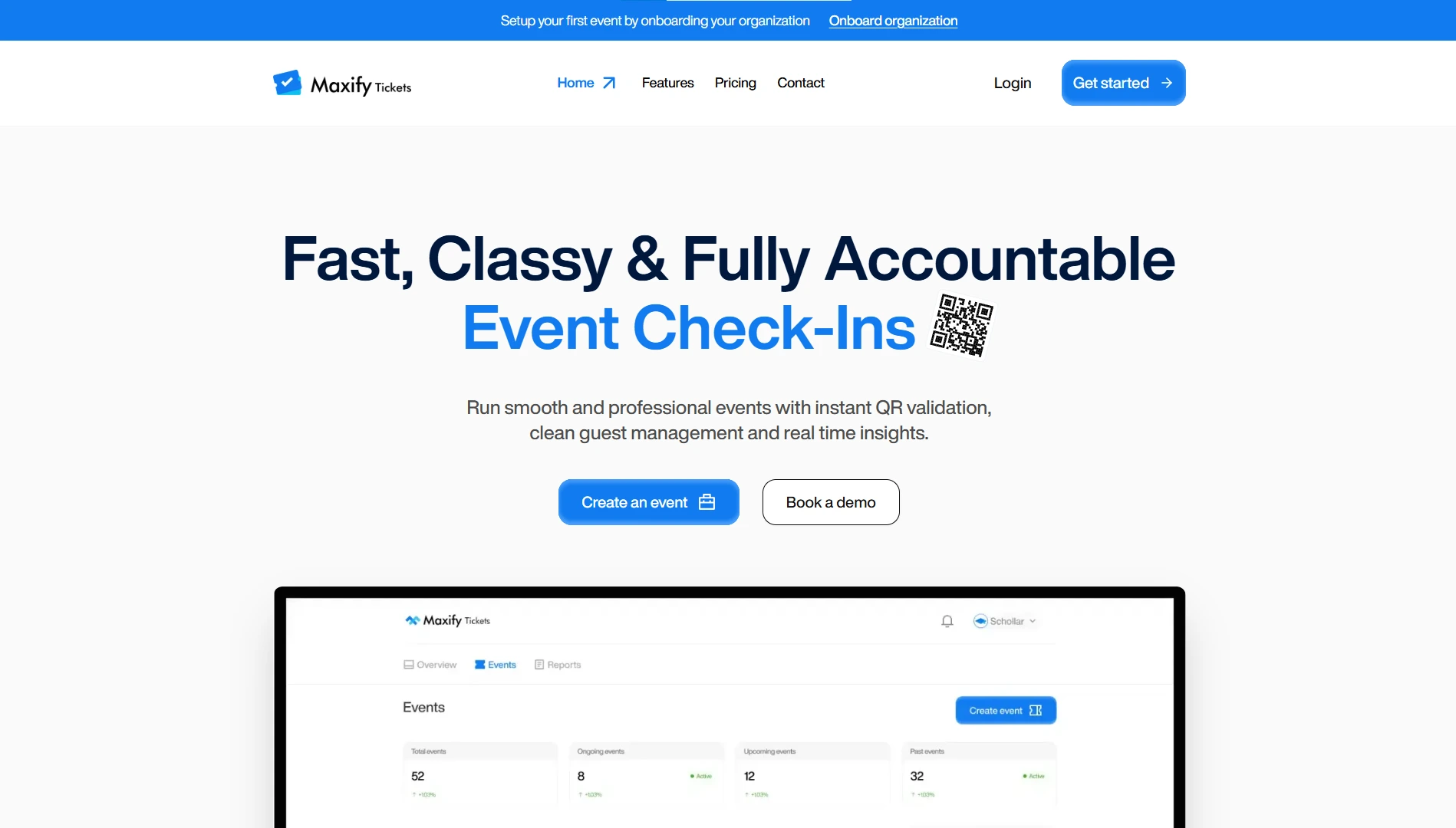
Maxify Tickets is built for organizations that run events where accuracy and accountability matter: universities, churches, NGOs, government agencies, and corporate teams. The platform is focused on making event execution structured and reliable, without requiring a significant learning curve.
Here’s how it addresses the specific problems above:
QR code check-in under 200ms. Every guest gets a unique QR code, no duplication, no sharing. Volunteers scan using any phone or tablet. The system confirms the guest in under a second and flags anyone who’s already checked in. Lines move. Staff stay in motion.
Bulk guest upload. If you’re already working from a spreadsheet, you don’t start from scratch. Upload your existing list and the system generates QR codes, sends confirmations, and structures your data automatically.
Real-time attendance dashboard. From the moment check-in opens, the dashboard reflects what’s happening live. Any team member with access can see current attendance from their device without asking anyone.
Activity-based tracking. For events with multiple sessions, meal distribution, gift collection, or tiered access, Maxify Tickets tracks check-ins at the activity level, not just at the door. You get a complete record of who attended what, without managing separate lists.
Automated reminders. Set your reminder schedule once. The system handles delivery to every registered guest. No manual sending, no missed names.
Public registration + paid ticketing. If guests need to register themselves, you publish a registration page directly through the platform, free or paid, with Stripe handling transactions. Registrations flow directly into your guest list with no manual transfers.
Post-event feedback collection. Feedback goes out automatically after the event and comes back as structured, measurable data, not informal messages you have to sort through manually.
The platform doesn’t try to do everything. It’s focused specifically on the part of event management that spreadsheets handle poorly: the operational execution.
Real Use Case: A University Annual Conference
A university student affairs office runs a three-day annual conference for 600 students. Registration was handled through Google Forms, attendance was tracked in a shared spreadsheet, and name tags were printed manually the day before.
The system worked, but barely. Check-in on the first morning took 75 minutes to clear. Two students were checked in twice because of a duplicate entry nobody caught before printing. Session attendance wasn’t tracked at all, which created a problem when students needed attendance records for credit verification.
The following year, the office used Maxify Tickets. Registration happened on a published page. The existing alumni list was uploaded in bulk. Every guest received a unique QR code automatically.
On day one, the same queue cleared in under 20 minutes with two volunteers and two phones. Session check-ins were tracked separately for each panel, giving the office a clean record for certification. Post-event feedback was collected and structured without any manual follow-up. The final attendance report was ready before the team left the venue on the last day.
Nothing about the event itself changed. The agenda, the programming, the team, all the same. Just the operational layer underneath it.
Time to Rethink How You Run Check-In
The reason most organizations stay on spreadsheets isn’t that they haven’t heard of better options. It’s that the current system technically works, until it doesn’t, and usually at the worst possible moment.
The shift isn’t really about software. It’s about what you want your team focused on during an event. Manual lookups, version management, and last-minute fixes, or actually running the event.
If you’re managing guests with spreadsheets and your events are growing, the right time to build a cleaner foundation is before the next event where it matters, not after.See how Maxify Tickets fits your event workflow.Book a demo or set up your first event free and have something concrete to evaluate before you commit to anything.
