 Raymond Yima
The pitch sounds obvious: connect your AI to your automation platform, and suddenly half your manual tasks disappear. In practice, it’s a bit more nuanced than that, but not by much.
ChatGPT and Zapier genuinely work well together. The combination can handle content drafting, lead qualification, customer communication, internal summaries, and a range of other tasks that currently sit on someone’s to-do list taking up time they don’t have. The key is knowing which tasks are actually suited to this kind of automation and how to build the workflow so it runs reliably.
This guide covers both.
How ChatGPT and Zapier Connection Works
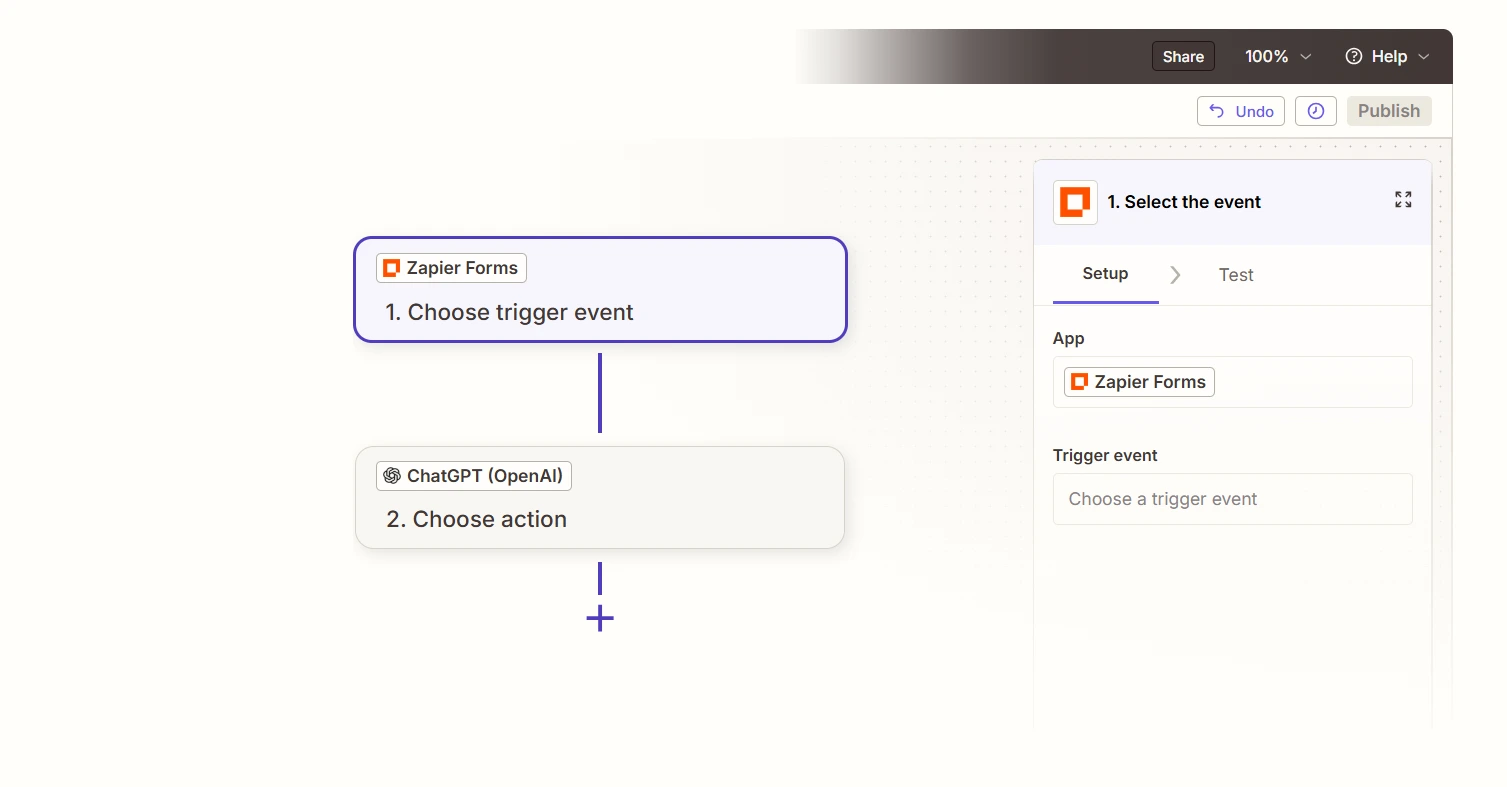
Zapier has a native OpenAI integration, which means you don’t need to write any code to connect ChatGPT to your other business tools. You build a Zap, Zapier’s term for an automated workflow and that includes an OpenAI action step alongside whatever other apps are part of the process.
The basic structure looks like this:
Trigger → something happens in one of your apps (a form submission, a new row in a spreadsheet, an inbound email, a Slack message)
OpenAI Action → ChatGPT receives that data and generates a response, a summary, a classification, or a piece of content based on a prompt you define
Output Action → the result goes somewhere useful: a CRM record, a draft email, a Slack notification, a Google Doc, a database entry
That’s the core pattern. Everything else is variations on it.
Tasks That Are Actually Worth Automating
Not every task benefits from adding AI to the workflow. These are the ones that consistently deliver value:
Lead qualification and triage When a contact form submission comes in, ChatGPT can read the message, classify the enquiry type, assess the level of intent, and route it to the right team member, all before a human has even opened their inbox. For businesses receiving a high volume of enquiries, this alone saves significant time and reduces the cost of slow responses.
First-draft email responses When a customer sends an enquiry, ChatGPT can generate a personalised draft response based on the message content. The draft goes to a team member for review and sending, not direct to the customer. This keeps a human in the loop while removing the time cost of writing from scratch every time.
Content repurposing Publish a blog post, and a Zap can automatically send the content to ChatGPT with a prompt to generate a LinkedIn summary, a short-form tweet version, and an email newsletter intro. Three formats from one source piece, without anyone manually rewriting the same content three times.
Internal meeting and document summaries Connect a tool like Otter.ai or Notion to Zapier, and ChatGPT can summarise meeting notes, extract action items, and post them to Slack or a project management tool. Teams that run a lot of meetings find this genuinely useful.
CRM data enrichment When a new contact is added to your CRM, a Zap can pull in publicly available information, run it through ChatGPT for a short summary, and populate a notes field, giving your sales team context before they make the first call.
How to Build the Prompt That Powers It
The prompt is where most ChatGPT-Zapier workflows succeed or fail. A vague prompt produces vague output. A well-constructed prompt produces output you can actually use.
A few principles that make a real difference:
Be specific about the output format. If you want a three-sentence summary, say so. If you want a bulleted list of action items, say so. ChatGPT will follow a clear format instruction reliably.
Include the right context in the prompt. Use Zapier’s data fields to pull in the actual content you want ChatGPT to work with, the form response, the email subject line, the document text. The more relevant context the prompt includes, the better the output.
Give it a role when it helps. “You are a professional customer service representative for a digital agency” sets a tone that’s different from a blank prompt. Use this when tone and style matter.
Set a hard limit on length. Tell ChatGPT exactly how long the output should be. Without a limit, responses can run long in ways that don’t suit the downstream use.
Here’s a simple example for a lead qualification workflow:
“You are reviewing an inbound enquiry for a digital agency. Based on the message below, identify: (1) the type of service being requested, (2) the urgency level (low / medium / high), and (3) a one-sentence suggested response opening. Keep your output to three clearly labelled lines. Message: [Zapier field]”
That prompt is specific, structured, and produces an output a human can act on immediately.
What to Avoid
Don’t send AI output directly to customers without a review step. A human review stage takes seconds and catches the occasional error before it becomes an awkward customer interaction. Build the review step in.
Don’t automate decisions that carry real consequences. Routing an enquiry to the right inbox is low-risk. Automatically declining a refund request or committing a price in writing is not. Keep the AI in a supporting role for anything with significant stakes.
Don’t build the workflow before testing the prompt. Test the prompt manually in ChatGPT first with real examples of the data it will receive. Make sure the output is consistently useful before you wire it into an automated workflow.
Don’t add an AI step just because you can. If a Zapier workflow is already handling a task cleanly without AI, adding a ChatGPT step introduces an extra point of failure for no benefit. Use AI where it’s actually reducing effort or improving quality.
A Realistic Starting Point
If you’re new to this, start with one workflow, not five.
The lead enquiry triage workflow described above is a good first build. It uses a real business pain point (too many enquiries, not enough time), produces a tangible output (qualified, categorised leads), and is easy to review and improve over a few weeks of use.
Once that’s running reliably, expand from there. The logic you learn building the first workflow applies directly to every subsequent one.
The Broader Picture
Zapier has moved well beyond simple “if this, then that” logic. It now supports multi-step workflows with conditional paths, built-in data storage, custom interfaces, and AI steps that can reason, classify, and generate, not just pass data between apps.
For businesses that rely on a mix of communication tools, CRMs, and manual processes, connecting ChatGPT into that ecosystem isn’t a side project. It’s a legitimate way to reduce operational drag. The businesses doing it well aren’t automating everything, they’re being deliberate about which tasks have a high repetition cost and a low need for human judgment. Those are the ones worth building first.
We build Zapier + ChatGPT workflows for businesses that are tired of repetitive manual tasks. Tell us what’s eating your team’s time, we’ll tell you if we can automate it. Contact Us
